
Clear an eligible card balance without losing sight of the month.
If your balance is eligible, Kiven can pay it directly to the card account and turn it into a repayment plan with the amount, dates, and total cost shown before you choose.
Minimum payments can keep a balance moving without bringing the end closer.
When interest, statement dates, and new spending sit in different places, it is hard to see what a payment changes. Kiven brings the eligible balance and a proposed repayment schedule into the same view, so the decision is based on the real numbers.
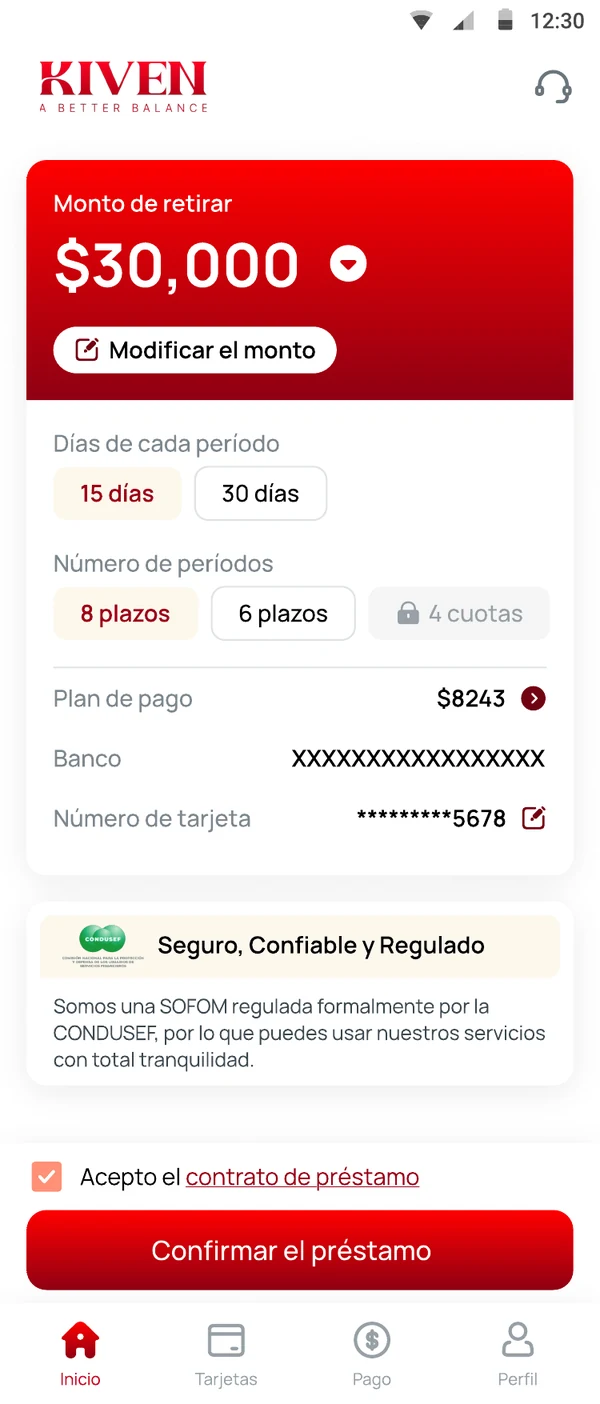
From revolving balance to visible schedule.
Four steps, each a separate decision.
Add the card balance.
Enter the approved card-account details or upload a statement when statement upload is live.
Review an eligible option.
See the amount Kiven would pay to the card, the repayment dates, rate, fees, and total repayment.
Authorize the transfer.
If you accept and the application is approved, Kiven sends the approved amount to the eligible card account using the supported payment route.
Follow one schedule.
The app keeps the next repayment and remaining balance visible.
The comparison should fit on one screen.
Your current card
Your Kiven option
Disclosure: the comparison is an estimate until Kiven presents a final offer. Savings, available limit, and credit outcomes are not guaranteed. Figures above are illustrative.
More structure for the balance. More room to plan the month.
Once the card issuer posts the payment, the card's available credit may change according to the issuer's rules. Kiven does not promise a specific limit or score outcome. It gives you a clear repayment schedule for the Kiven agreement you choose.
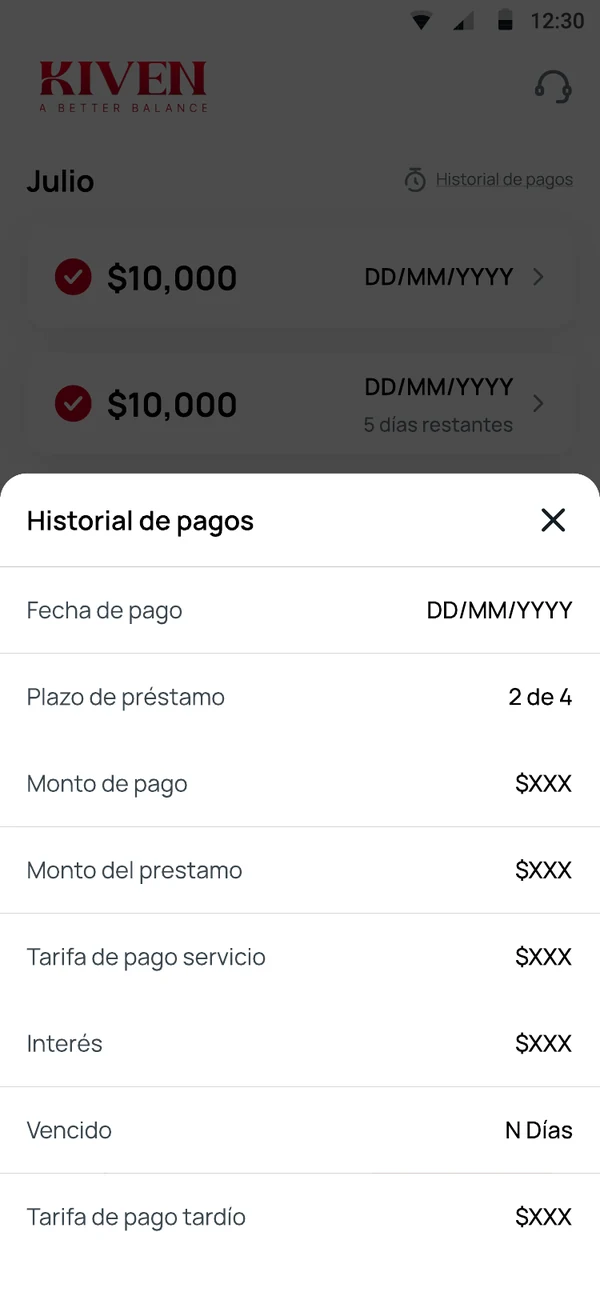
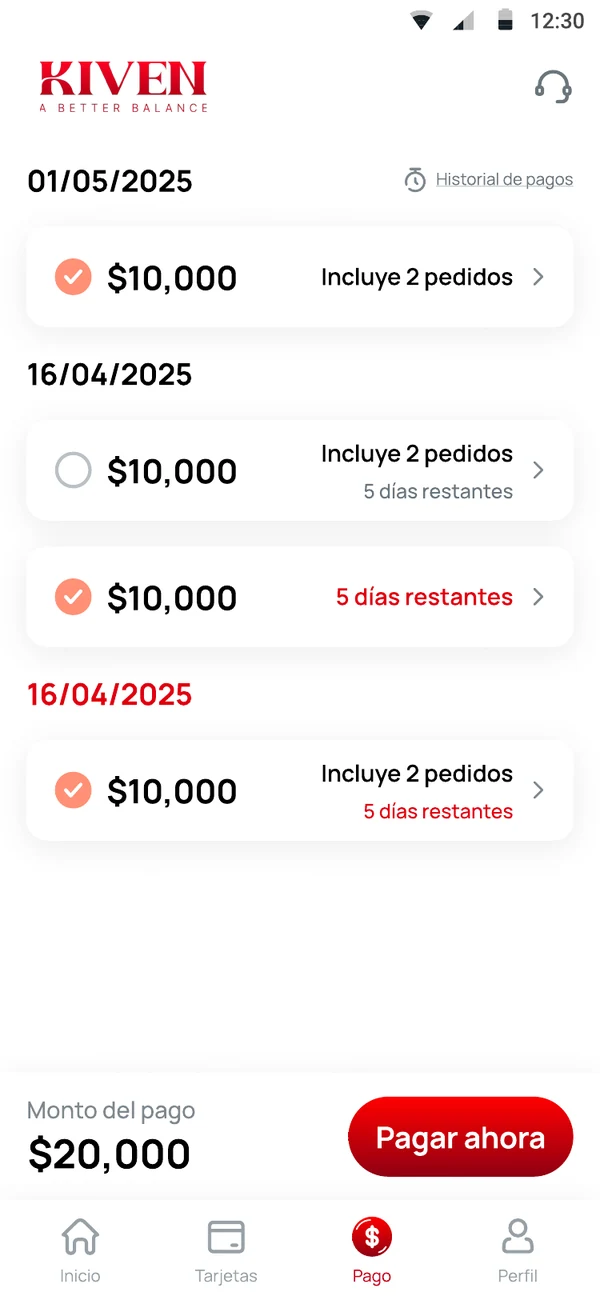
Not another card to juggle.
Kiven's job is to make the balance easier to understand and easier to finish. The product should not add another revolving line or hide the real cost behind a monthly number.
- Payment goes to the eligible card account through the approved route.
- The repayment schedule is shown before acceptance.
- The total cost stays visible in the app.
- The customer keeps the decision.
Put the whole balance in view.
See whether an eligible card balance can move into a repayment plan you can read from start to finish.
Get KivenKiven. A Better Balance.
See whether your balance is eligible.
The amount paid to the card, the dates, fees and total, before you choose.
Kiven. A Better Balance.